
Knowing the difference between a modem and a router is very important for setting up a good internet connection.The primary difference between a modem and a router is that a modem allows you to connect to the internet.In contrast, the router is responsible for distributing that connection to many devices. So, a modem can be a way you can connect to the internet while a router can be a way to connect all your devices to that internet.
Many people often interchangeably call modems and routers. To have a good internet connection on all your devices, you must know the difference between modem and router.
This article explains the modem and router functions and how they are different from each other.
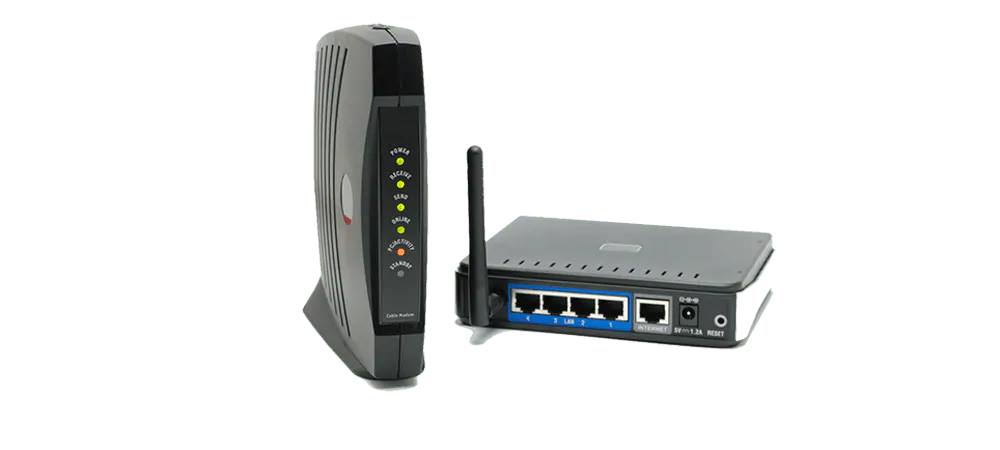
The modem is a signal relaying device
A modem is responsible for decoding network signals from the internet service provider you are subscribed to. The primary function is to convert internet signals into digital signals that can be identified by devices. In short, a modem helps you connect to the internet. The basic functioning of the modem is modulation and demodulation. Therefore it converts analog signals into digital signals.
A modem acts as an internet working device that helps in the modulation and demodulation of signals. It includes the information sent from the transmitter and then modulates it to the receiver. A modem is necessary to ensure the internet is received in your devices via the internet service provider. The modem also works on compressed data and helps in information flow.
It also helps in the grouping of data together and allowing them to submit in one go. It does regular checks on the information sent out. The modem connects to an internet service provider and is compatible specifically with the ISP. It also converts the signal from ISP so that a computer can be used. Its disadvantages cannot create a Local Network on Wi-Fi and cannot connect multiple devices to the internet.
The router is required for splitting internet connection
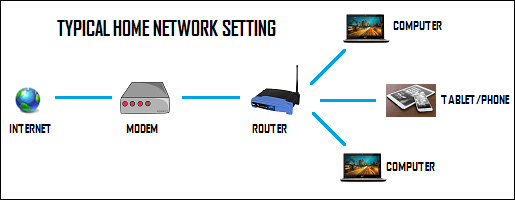
A router is the networking device that distributes the network connection from your Internet Service Provider. It helps to supply the internet to all the devices such as tablets, laptops, computers, mobile phones, Smart TVs, etc. A router can be classified into a wired and wireless router.
The wired router needs to be connected physically, while the wireless one has antennas to connect to your modem. A router helps in keeping track of various network solutions and keeps check of media access control. The router also has security features that will protect you from hackers.
It enables settings that ensure safety for all your devices. It protects you from phishing and other malware that may penetrate your network. A router also creates a local area network and helps in getting access to the VPN. It makes a comprehensive web for network connections to several devices.
Recommended for you:
- Top 10 Best WiFi Routers
- The 10 Best WiFi Range Extenders
- 192.168.1.1 Login, Admin Page, Username, Password | Wireless Router Settings
Difference between router and modem
The primary difference between router and modem is that a modem directly connects to the internet and decodes a signal from the Internet Service Provider. You need a modem and router when you are trying to establish a strong network for several devices. A single device can use a modem and connect its wire to the computer. Modem and router combo devices can be bought as a cost-effective network solution.
They perform integrated functions of both. A modem and router are essential for setting a good Wi-Fi network to connect your device to the Internet service provider. You must also look for affordable options that increase the efficiency of your system and provide security.
