
• Skip to main content
  • Skip to primary sidebar
  • Skip to footer
TechieGenie

TechieGenie

  • Technology
  • Blogging
  • Relationship
  • Travel
Home » artificial intelligence » How to Fix “Unable To Load History” on OpenAI’s ChatGPT

How to Fix “Unable To Load History” on OpenAI’s ChatGPT

May 26, 2026 by Tejas Maheta Leave a Comment

This article provides solutions to fix the “Unable to Load History” error message on ChatGPT. It discusses the possible causes of the error. The article offers six solutions to help users fix the error. The article aims to help users access their chat history on ChatGPT by offering practical solutions to resolve the issue.
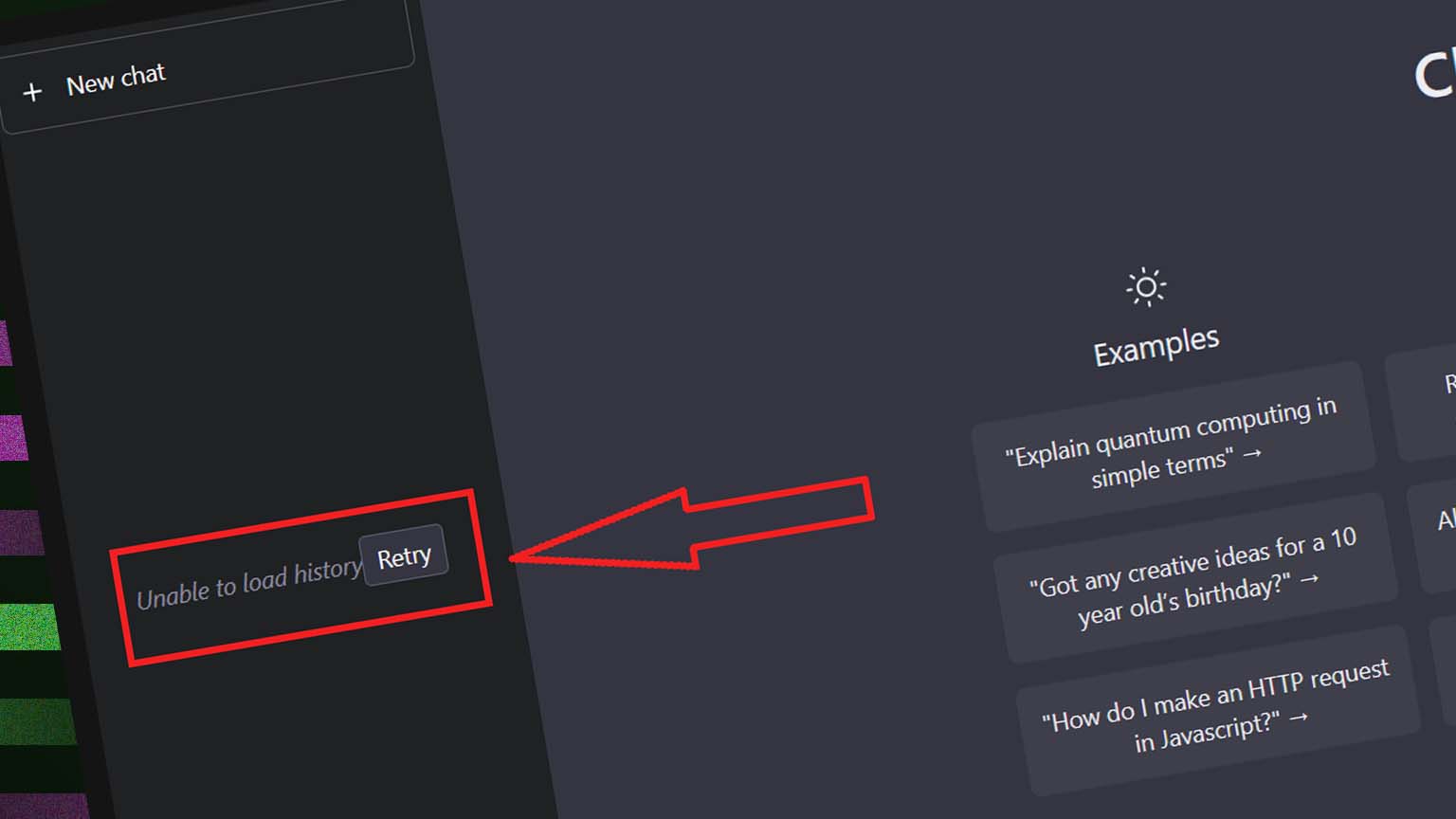
How to Fix "Unable To Load History" on OpenAI's ChatGPT

If you’re experiencing the error message “Unable to Load History” on ChatGPT, it means that you’re having trouble accessing your chat history. This issue can be frustrating, especially if you need to access important chat histories. In this article, we will discuss the possible causes of this error and provide some solutions to help you fix it.

Table of Contents

Toggle
  • Causes of “Unable to Load History” on ChatGPT:
  • How to Fix “Unable to Load History” on ChatGPT:
  • Conclusion:

Causes of “Unable to Load History” on ChatGPT:

  1. ChatGPT Bug or Upgrades: ChatGPT may be undergoing server maintenance or upgrades, or there may be a bug on the platform that’s preventing you from accessing your chat history.
  2. Network Issues: Your internet connection may be slow or unstable due to low bandwidth, poor signal strength, or interference from other devices.

How to Fix “Unable to Load History” on ChatGPT:

  1. Tap On “Retry” Button: This is the first fix you should try, as it may be a temporary issue that can be resolved by refreshing the ChatGPT webpage or by clicking on the “Retry” button.
  2. Check for Server Maintenance or Upgrades: If you suspect that this error message is caused by server maintenance or upgrades, check the OpenAI website for updates. This is usually a temporary bug that will be resolved soon.
  3. Check Your Network Connection: Check your internet connection and ensure that it is stable and that you have sufficient bandwidth. Restarting your modem or router may also fix the issue.
  4. Clear Your Browser Cache: Clearing your browser cache can delete any temporary files or cookies that may be causing the issue. You can also try using a different browser or updating your current browser to the latest version.
  5. Log Out and Log Back In: Logging out and logging back into ChatGPT can fix this issue. This will refresh your connection to the server and may allow you to access your chat history.
  6. Use the Link to Your Chat: If you still cannot access your chat history, try using the link to your chat. You can search for the heading of the chat in your browser history to find the link. It is possible to access your chat history using a direct link even if it does not show in the history panel.

Conclusion:

if you encounter the “Unable to Load History” error message on ChatGPT, you can try several fixes to resolve the issue. Try refreshing the page or clicking on “Retry,” check for server maintenance or upgrades, check your network connection, clear your browser cache, log out and log back in, or use the link to your chat. If none of these solutions work, you may need to contact ChatGPT support for further assistance.

About Tejas Maheta

Tejas Maheta is editor in chief and webmaster of TechieGenie Blog. You may reach him out on following social media:
Facebook | Twitter | Instagram

Reader Interactions

Leave a Reply Cancel reply

Your email address will not be published. Required fields are marked *

Primary Sidebar

  • Facebook
  • Instagram
  • LinkedIn
  • Pinterest
  • Twitter

Recommeded Posts

  • How to Resolve the “We’re Currently Processing Too Many Requests” Error on ChatGPT
  • How to Fix the “Sorry I Can’t Complete the Request” Error on ChatGPT
  • Bing AI Chat: AI Assistant for Quick and Accurate Information
  • Battle of the Chatbots: ChatGPT vs. Bing Chat AI – Which is Right for You?
  • Troubleshooting ChatGPT Error Code 1020: Access Denied and How to Fix It
  • How To Fix “Global Rate Limit Exceeded” On OpenAI and Chatgpt
  • All About ChatGPT: An AI Chatbot Revolutionizing Conversations
  • How to set up and use ChatGPT in a Linux terminal
  • What is Google Bard? Here’s everything you need to know
  • Deep Learning in Antivirus Software: Enhancing Threat Detection and Response

More to See

clear instagram cache iphone without deleting

How to Clear Instagram Cache From iPhone and Android

By Tejas Maheta

How to say "I love you" for the first time?

How to say I love you for the first time to your girlfriend?

By Priya Batra

Indian mathematics

Top 10 Famous Indian Mathematicians And Their Contributions

By Tejas Maheta

Duke Dennis Net Worth

Duke Dennis’ Bio: Age, Height, Real Name, Net Worth, Where is he from?

By Tejas Maheta

What is a browser hijacker, and how do you remove one

Steps to Take After Detecting a Browser Hijacker

By Tejas Maheta

ways to stop fighting in a relationship with your partner

How to Stop Fighting in a Relationship

By Priya Batra

Footer

About Us

TechieGenie is a one-stop online solution Marketplace, which is owned by Tejas Maheta, a renowned blogger. You will find great insights shared by him in the blog section..[Read more]

Recent Posts

  • Top 20 Best Tech News Websites and Blogs
  • How to Find File Manager in Nokia
  • Top 10 Best Screen Recording Software for Windows
  • Top Tablets with Replaceable Batteries
  • Best Voice Recorder App For Singing
  • About Us
  • Contact Us
  • Write for Us
  • Privacy Policy

© 2026 TechieGenie
The owner of this site is a participant in the Amazon Services LLC Associates Program, an affiliate advertising program designed to provide a means for sites to earn advertising fees by advertising and linking to amazon.com.